Collect testimonials on autopilot
turn them into more sales.
For freelancers, agencies, and SaaS founders who want proof on their site without the manual chasing.
a peek inside
Your whole workflow, one dashboard.
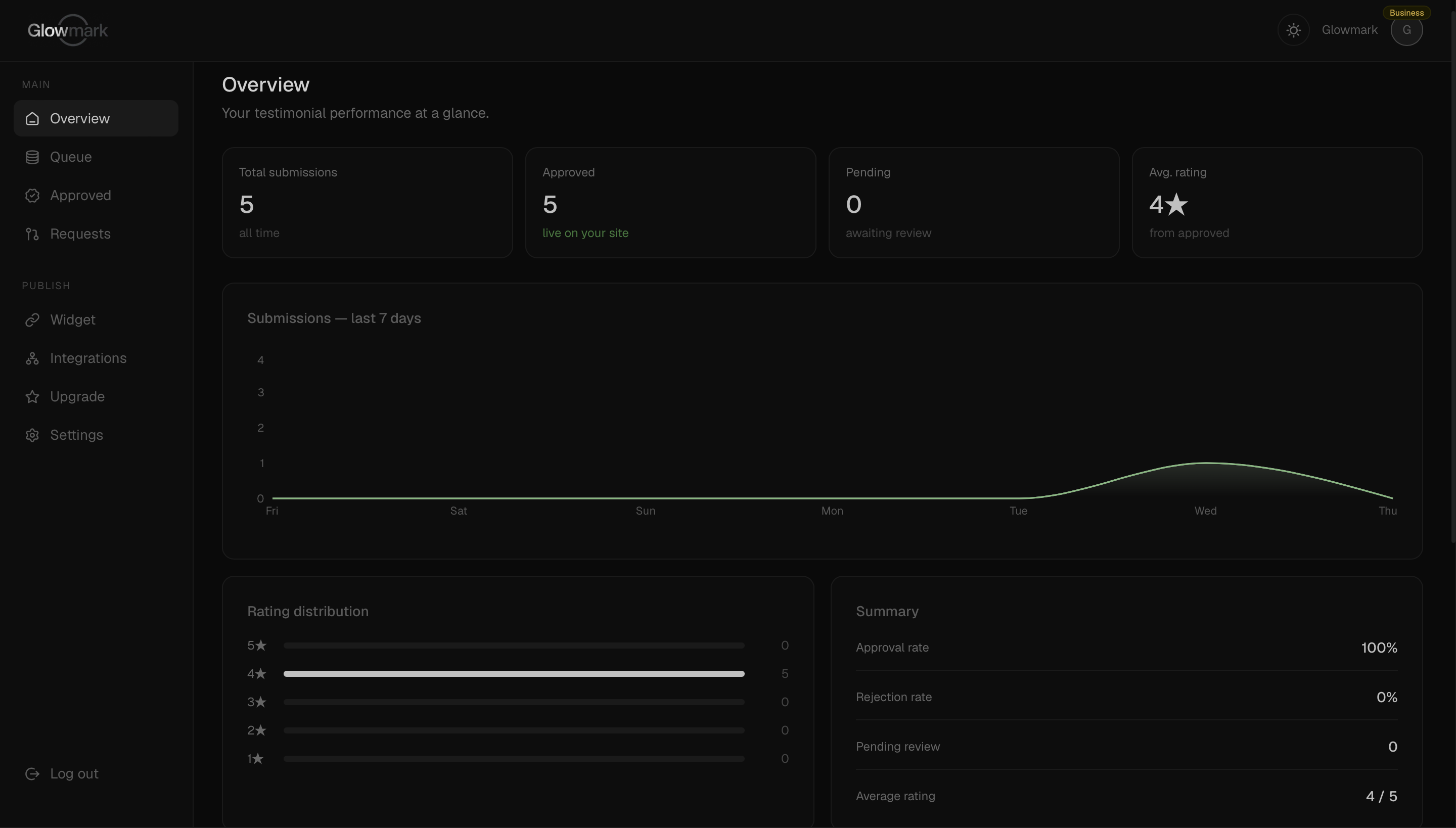
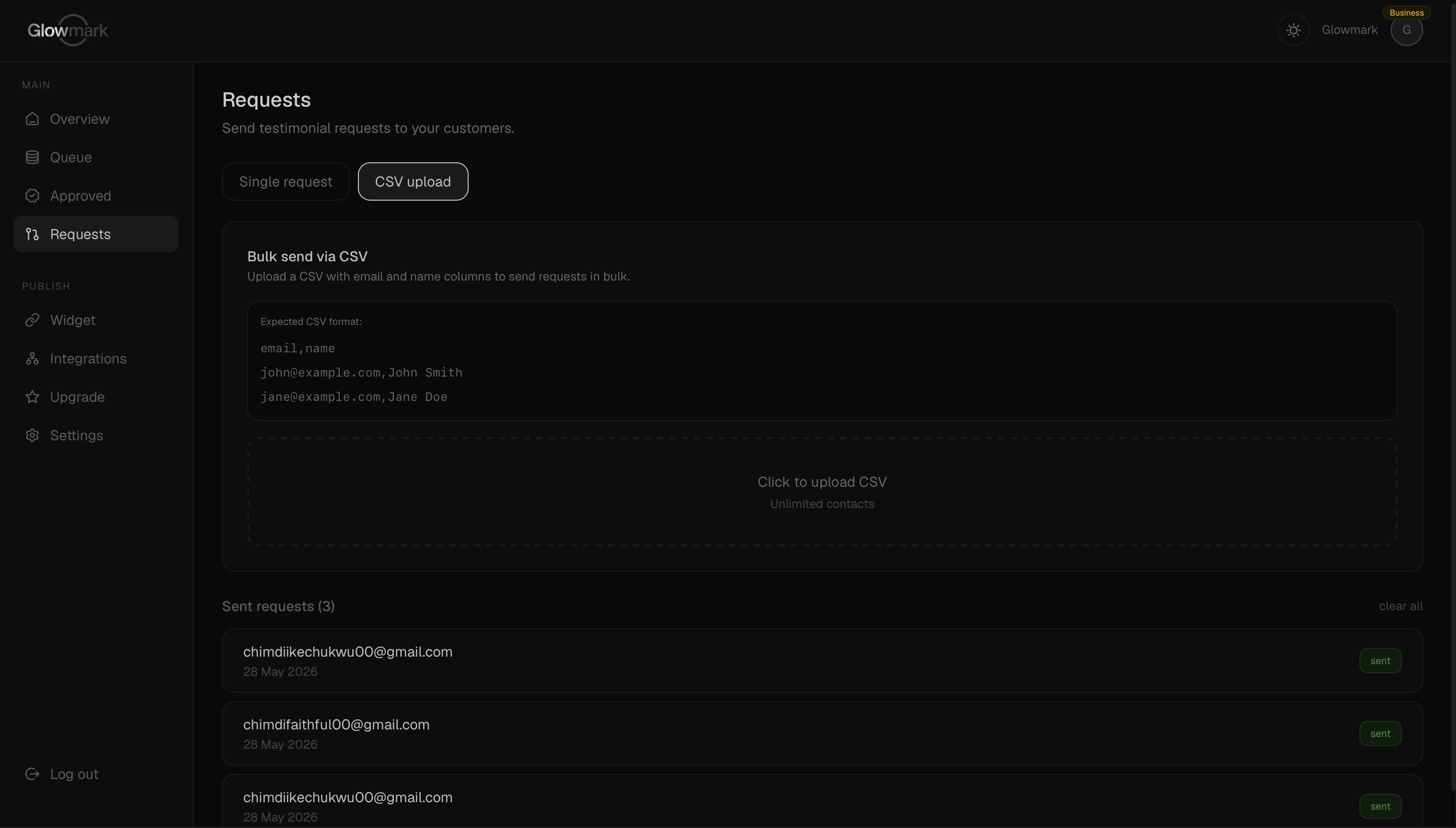
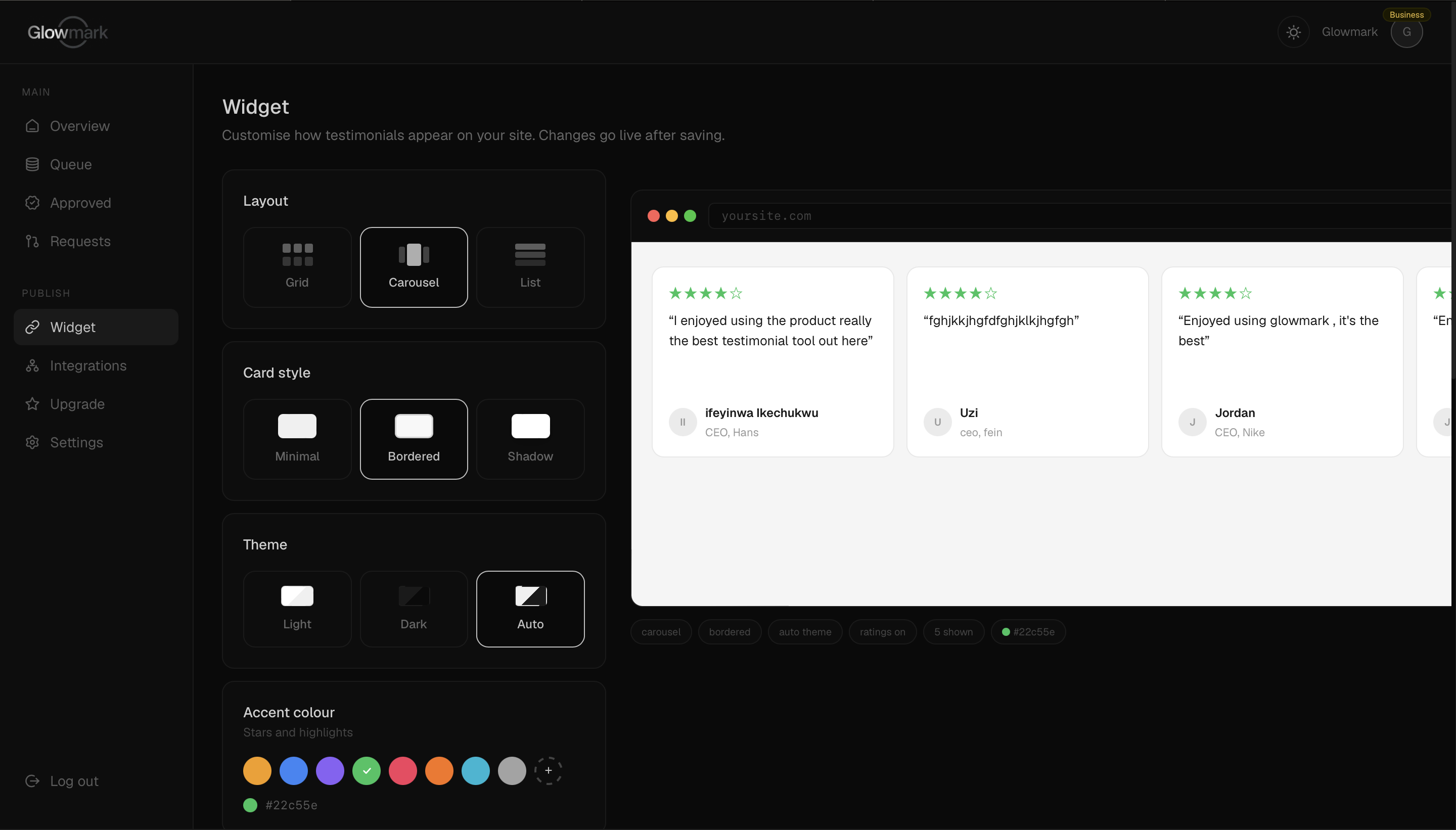
Automated requests
Send branded collection emails triggered automatically after any event in your workflow.
Approval queue
Every response lands in your queue. Review, edit, and approve with one click.
Embeddable widget
One script tag. Approved testimonials appear on your site instantly — no developer needed.
Video testimonials
Customers record directly in the browser. No downloads, no friction.
Auto-approve rules
Set a star threshold. Anything above it publishes automatically.
Shareable links
Every approved testimonial gets a public URL for social media.
This is the real widget — pulling live, approved testimonials. Yours embeds with a single line.
Send a request
After a purchase or project, Glowmark automatically sends a branded email asking for a testimonial. Customize the timing, copy, and form fields.
Approve in your dashboard
Responses land in your queue. Review, edit, approve or reject with one click. Set auto-approve rules for anything 4 stars and above.
Publish automatically
Approved testimonials appear on your website instantly via a lightweight embeddable widget — no developer needed, ever.
- —25 testimonials
- —Text + 2 video testimonials
- —Shareable testimonial wall
- —Glowmark branding
- —Basic analytics
- —Unlimited testimonials
- —Text + video testimonials
- —Shareable testimonial wall
- —No Glowmark branding
- —Auto-approve rules
- —Full analytics
- —Data export (CSV)
- —Manual request emails
- —API access
- —Zapier integration
- —Everything in Pro
- —White-label widget
- —Priority support
- —Webhooks (coming soon)
- —25 testimonials
- —Text + 2 video testimonials
- —Shareable testimonial wall
- —Glowmark branding
- —Basic analytics
- —Unlimited testimonials
- —Text + video testimonials
- —Shareable testimonial wall
- —No Glowmark branding
- —Auto-approve rules
- —Full analytics
- —Data export (CSV)
- —Manual request emails
- —API access
- —Zapier integration
- —Everything in Pro
- —White-label widget
- —Priority support
- —Webhooks (coming soon)
Do I need a developer?+
No. Adding Glowmark to your site is one copy-paste — drop in a single embed snippet and your testimonials appear. It works with any website builder (Webflow, Framer, WordPress, Squarespace, plain HTML), so if you can paste a link, you can add Glowmark.
How do clients leave a testimonial?+
You share a collection link. Your client opens it and fills out a short form — text or video — with no account or login required. The testimonial lands in your dashboard for you to approve before it ever goes live.
What happens at 25 testimonials?+
25 is the cap on the Free plan. Nothing gets deleted when you reach it — your existing testimonials keep displaying on your site as usual. To keep collecting beyond 25, you upgrade to Pro for unlimited testimonials whenever you're ready.
Can I cancel anytime?+
Yes. There are no contracts. You can cancel in one click from your settings and keep access until the end of your current billing period — after that you simply drop back to the Free plan.
Do I need a credit card to start?+
No. The Free plan is free forever and needs no card. You only add payment details if and when you decide to upgrade to Pro or Business.